

Advanced Email Search Training: Stop Organizing Emails and Start Finding Them Faster
For many Minnesota small businesses and nonprofit organizations, email remains the center of daily operations. Conversations with clients, vendors, donors, board members, and team members often live inside inboxes for years.
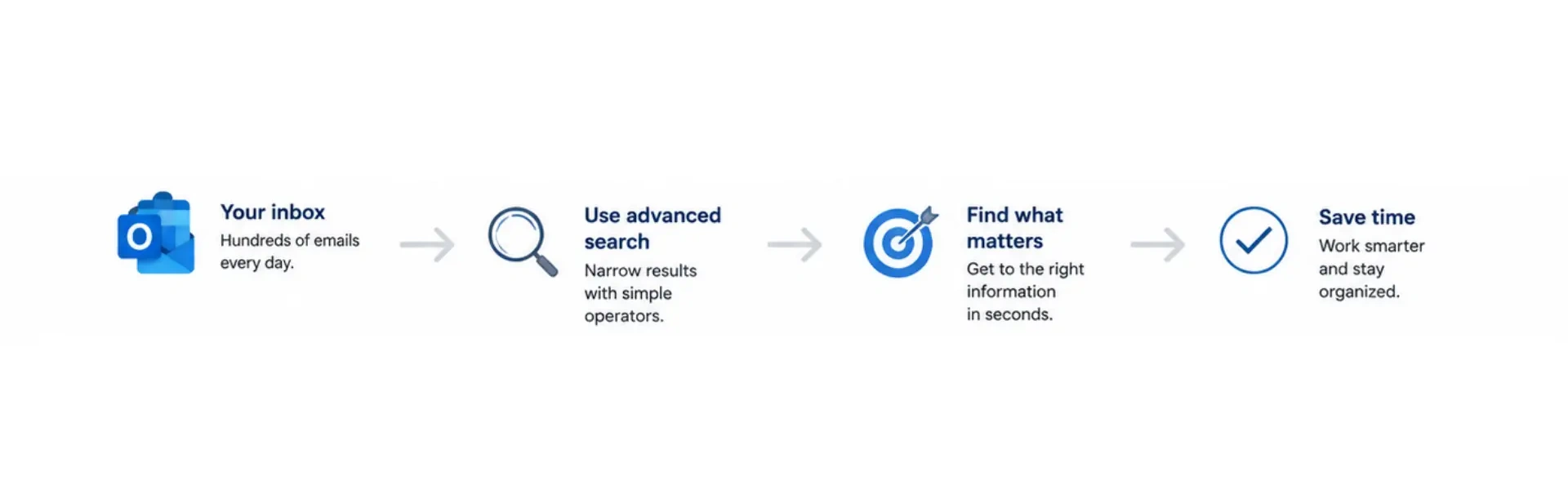
Yet many professionals still spend valuable time creating folders, moving messages, and searching endlessly for information they know exists somewhere in their mailbox. At CSI Tech Corp, we have found that one of the simplest productivity improvements isn’t a new software platform or expensive technology upgrade; it’s learning how to use advanced email search effectively.
Our CEO, Mark Wheatley, recently tested advanced search capabilities across Outlook Desktop, Outlook Web Access (OWA), Outlook.com (Hotmail), and Gmail. The results confirmed that most users are only using a fraction of the search tools already available to them.
Watch & Learn
Watch this video-explainer, where you can learn about practical advanced search techniques that can help you find emails faster, reduce inbox clutter, and get more value from the tools you already use every day.
Why Email Search Skills Matter for Busy Organizations
Many users organize their inboxes with dozens of folders and subfolders because they worry they won’t be able to find important emails later. The challenge is that filing and organizing emails takes time. Even worse, people often forget where they store a message.
For busy organizations in the Twin Cities area, that means:
- Less time searching for information
- Improved employee productivity
- Faster customer response times
- Better access to historical communications
- Reduced inbox frustration
- More efficient daily workflows
Modern email platforms are designed to search for large amounts of data quickly. When users understand advanced search features, they can often locate information in seconds without manually sorting messages.
Keep Important Emails Searchable
One strategy our team often demonstrates during training sessions:
Instead of spending time moving every message into folders, keep important emails accessible and use advanced search tools to locate information when needed.
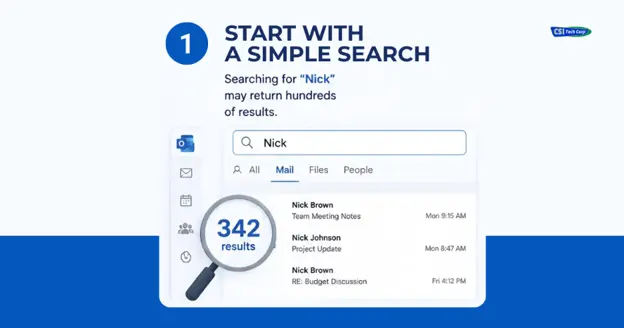
For example, imagine you need to find an email from someone – ‘Nick’. A basic search for ‘Nick’ may return hundreds of results. Advanced search operators help narrow those results dramatically.
Use AND and NOT to Refine Results
Search operators allow you to include or exclude specific content.
Example:
‘Nick AND proposal’ – returns emails containing both terms.
‘Nick NOT invoice’ – returns emails mentioning Nick but excludes emails containing the word invoice.
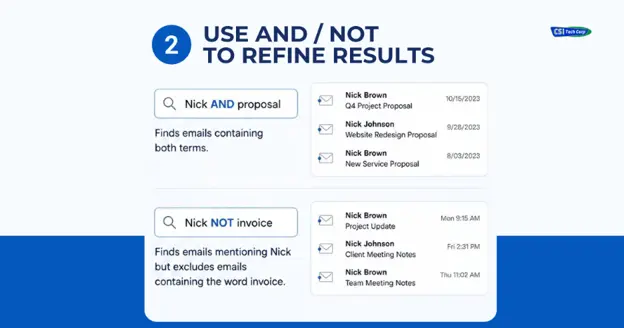
This simple technique can reduce hundreds of search results to only a handful of relevant messages.
Search by Date
One of the most useful Outlook search features is filtering messages by time period.
- received:“last week”
- received:“last month”
- received:“last year”
You can also search specific date ranges: received:10/01/2023..11/30/2023
This search returns emails received between October 1 and November 30, 2023.
Combined with sender information, searches become even more powerful: Nick AND received:10/01/2023..11/30/2023
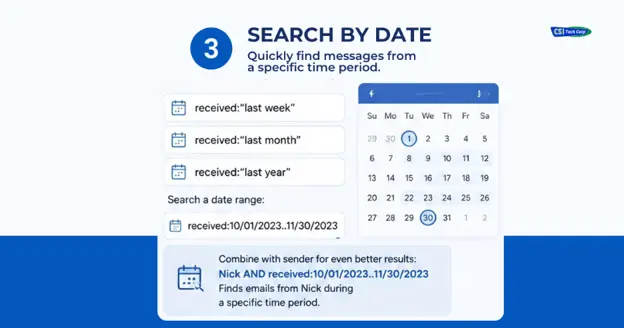
This quickly identifies conversations from a specific person during a defined period.
Finding Emails with Attachments
Many organizations need to locate contracts, invoices, reports, or presentations. Advanced search can isolate messages containing attachments.
Examples: hasattachment:yes or hasattachment:no
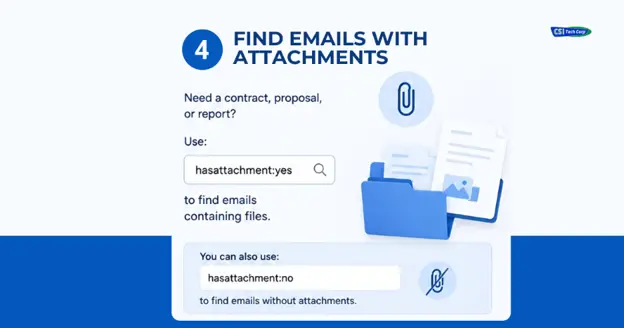
This is especially useful when trying to locate:
- Financial reports
- Board meeting documents
- Vendor contracts
- Client proposals
- Project files
Outlook, Outlook Web Access, and Gmail
One advantage of learning advanced search is that similar functionality exists across multiple platforms. Microsoft Outlook Desktop, Outlook Web Access (Microsoft 365), and Outlook.com generally use similar search syntax.
Gmail offers comparable capabilities, although some search operators differ slightly.
The underlying concept remains the same:
The better you understand search tools, the less time you spend manually organizing email.
Recommended Microsoft Resource
Microsoft provides guidance on Outlook search features and filters. Users looking to improve their email management skills can also review official Microsoft training resources and documentation.
Advanced Email Search Training:
A Small Skill That Can Make a Big Difference
Many professionals spend ‘years’ manually sorting emails without realizing how powerful modern search tools have become. Learning these advanced search techniques can make it easier to find conversations, locate attachments, and access important information when you need it most. Give these search features a try the next time you’re looking for an email. You may be surprised how quickly you can find exactly what you’re looking for.
If your organization would benefit from additional Microsoft 365 training or cybersecurity training, we’re always happy to have a conversation.
Schedule a complimentary consultation with CSI Tech Corp
to discuss your IT needs and discover
customized cybersecurity and IT training for your team.