

When Hardware Fails, Your Data at Risk
One of our clients in the Twin Cities area recently brought us a laptop that had completely stopped working. The issue wasn’t software. It wasn’t a virus. The motherboard had failed, and the device wouldn’t turn on at all.
For many organizations, that’s where the real concern begins: Is the data gone? Is it still recoverable? In this case, there was some good news. The hard drive itself was still intact.
BUT when we connected the drive to recover the data, we ran into a common and important security layer: BitLocker encryption.
BitLocker is built into Microsoft Windows and is widely used across Minnesota
organizations we support. It helps protect sensitive data
if a device is lost, stolen, or improperly accessed.
For nonprofits handling donor data, or small businesses managing client records,
this level of protection is not optional anymore – it’s expected.
But encryption comes with responsibility.
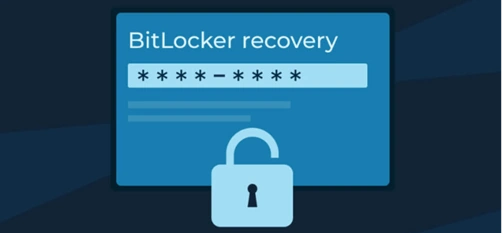
To unlock and access a BitLocker-encrypted drive outside its original device, you need a recovery key — a system-generated code created when encryption is enabled. Without it, accessing the data becomes significantly more challenging, and in some cases, recovery is not feasible without a data recovery service. Fortunately, the client had done things right. They had saved their recovery key and were able to provide it to our team.
RESULT → We unlocked the drive and successfully recovered their data.
Where BitLocker Keys Should Be Stored
If your organization is using Microsoft 365 or Microsoft Entra ID, there’s good news: Recovery keys can often be stored automatically in your environment. We typically recommend:
- Saving keys in Microsoft Entra ID (Azure AD)
- Backing them up in a secure documentation system
- Ensuring IT administrators (not just end users) have access
For unmanaged or home-based setups, this is where risk increases. There’s often no central record.
Encryption vs Backup
Two Different Roles
Encryption protects your data → prevents unauthorized access
Backup protects your organization → ensures recovery after failure, deletion, or disaster.
You need both.
In the Minnesota business environment, where many teams operate hybrid or fully remote, relying on a single device is risky.
A cloud-based backup strategy provides:
- Off-device data protection
- Faster recovery after hardware failure
- Protection from accidental deletion or ransomware
- Operational continuity
Even when systems are configured correctly, hardware failure is still unavoidable.
In our work with small businesses and nonprofits across Minneapolis–Saint Paul, this situation is more common than most people expect. Here’s where things typically break down:
- 1. Recovery Keys Aren’t Documented
Encryption gets enabled (sometimes automatically), but no one records where the key is stored.
- 2. No Centralized Management
Organizations without managed IT often rely on individual users to “keep track” of critical information.
- 3. False Sense of Security
There’s an assumption that: “We have encryption, so we’re covered.” Encryption protects data from unauthorized access. It does NOT protect against hardware failure.
A Practical Checklist for Your Organization
If you’re unsure about your current setup, this is a good place to start:
- Confirm Encryption is enabled on all company devices
- Locate and verify your recovery keys
- Ensure keys are centrally stored and accessible
- Review who has administrative access
- Implement a reliable cloud backup solution
- Test your recovery process (not just assume it works)
At CSI Tech Corp, we’ve been supporting organizations across the Twin Cities since 2004. Our role is simple: make technology predictable, secure, and aligned with your operations.
We help Minnesota businesses and nonprofits with:
- Managed IT Support — so issues don’t interrupt your day
- Cybersecurity — including encryption, access control, and risk management
- Cloud Solutions — secure, scalable systems that support hybrid work
- IT Consulting — clear guidance without unnecessary complexity
- Infrastructure Optimization — making sure everything works together reliably
This situation had a good outcome.
The data was recovered.
The organization stayed operational.
But it could have gone differently if the recovery key hadn’t been saved.
Let’s Make Sure
You’re Covered
If you’re not sure where your BitLocker recovery keys are stored or whether your backup strategy is sufficient, it’s worth taking a closer look now.
Contact CSI Tech Corp to get a clear look at where things stand and what can be improved.